
What exit nodes are
An exit node is a computer that shares part of its internet connection, so traffic sent through BIM leaves the internet from that computer's address instead of from a data centre.
BIM VPN has two kinds:
| Kind | What it is | How people use it |
|---|---|---|
| Residential exit | A computer on a home or office line running the BIM VPN app with Become an Exit Node switched on | Through the BIM exit proxy, exit-api.bimvpn.xyz:3128, with an API key |
| Private exit in the app | A BIM exit on a local residential-grade line, for example Seoul (Korea Telecom) | As an entry in the server menu of the latest macOS and Windows apps, for the accounts it is assigned to |
Most of this section is about residential exits.
Words used here
- Node: one exit computer. It has an id like
nd_EXAMPLE(nd_followed by 8 hex characters). - Operator: the person who runs a node on their machine.
- Owner: the BIM VPN account a node belongs to.
- Private: only keys belonging to the owner can use the node. This is the default.
- Public: anyone with a valid BIM exit key can use the node.
- API key:
bxk_followed by 12 hex characters (the key id), a dot, then 64 hex characters (the secret). Examples on this site write it asbxk_EXAMPLE.YOUR_SECRET.
How traffic flows
customer --HTTP CONNECT--> BIM broker --mutual TLS--> exit node --TLS--> website
- The exit node connects out to the BIM broker. Nothing has to be opened on the operator's router.
- The broker checks the key and the destination, resolves DNS itself, and picks the node. The node never sees the customer's IP address.
- A node only passes connections to port 443 that start with a TLS handshake: encrypted web traffic. Email sending, file sharing, scanning and connections to private or home network addresses are refused.
- The rules every node enforces are signed by BIM and published at exit-api.bimvpn.xyz/v1/policy.
What you can do
The exit network is in private beta.
| Feature | Status |
|---|---|
| Exit Node window in the macOS and Windows apps | Live |
| Consent screen, payout wallet, earnings view | Live |
| New nodes start paused and are activated by BIM, which binds the owner | Live |
| Public and private nodes, private by default | Live |
API keys (bxk_...) issued by BIM |
Live |
| Choosing a node or a country through the proxy username | Live |
| Listing the exits your key may use | Live |
| Private exits in the app: Seoul (Korea Telecom) and Hong Kong (HKBN), for assigned accounts | Live |
The customer proxy is plain HTTP
The connection from your computer to exit-api.bimvpn.xyz:3128 is not encrypted. Your proxy username and secret travel in readable form on that hop. The websites you open stay encrypted end to end. See Connect through an exit node.
Who can use a node
One rule decides it: a key may use a node when the node is active and the node is either public or owned by the key's owner.
- A new node is paused, private and without an owner, so nobody can use it, not even its operator. BIM binds the owner when it activates the node.
- To let a friend use your private nodes, BIM issues another key under your account. Revoking that key removes their access on their next connection.
- If you ask for a node or a country that is not available to you, the proxy refuses the connection. It never moves you to another node or country.
Private exits in the app
Seoul (Korea Telecom line) and Hong Kong (HKBN line) are live as private exits.
- They appear in the server menu only for the accounts they were assigned to, and only in the latest macOS and Windows apps.
- Older apps and the Android and iOS apps do not show them.
- Access to a private exit is granted by BIM support. Ask through t.me/bimvpn.
Private exits are entries in the app's server menu, not the exit proxy. The server list is strict about them:
- Only assigned accounts see an entry, and only while logged in.
- The logged-out server list never shows it.
- Anything unexpected in the entry hides it rather than showing it.
Connect to a private exit
- Log in with the account the exit was assigned to.
-
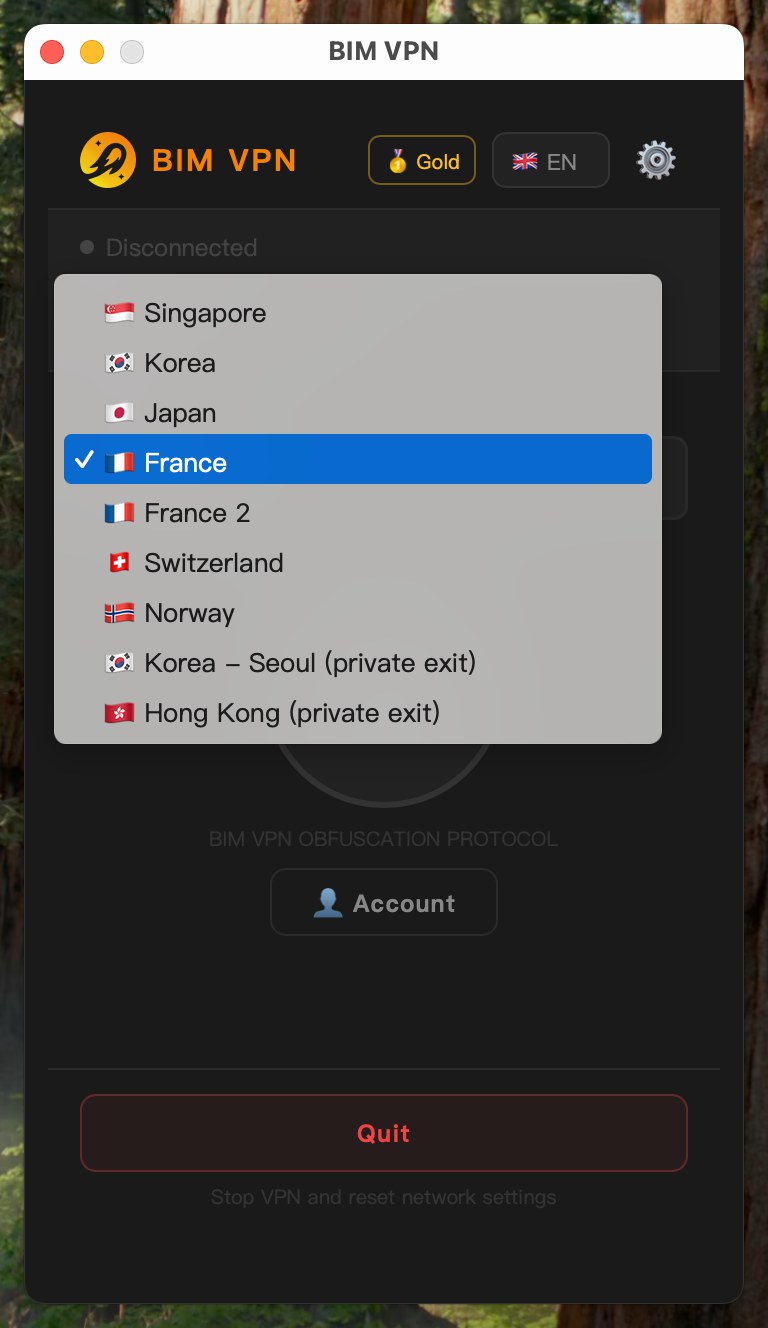
Open the server menu. Private exits are labelled (private exit), for example Korea - Seoul (private exit).
-
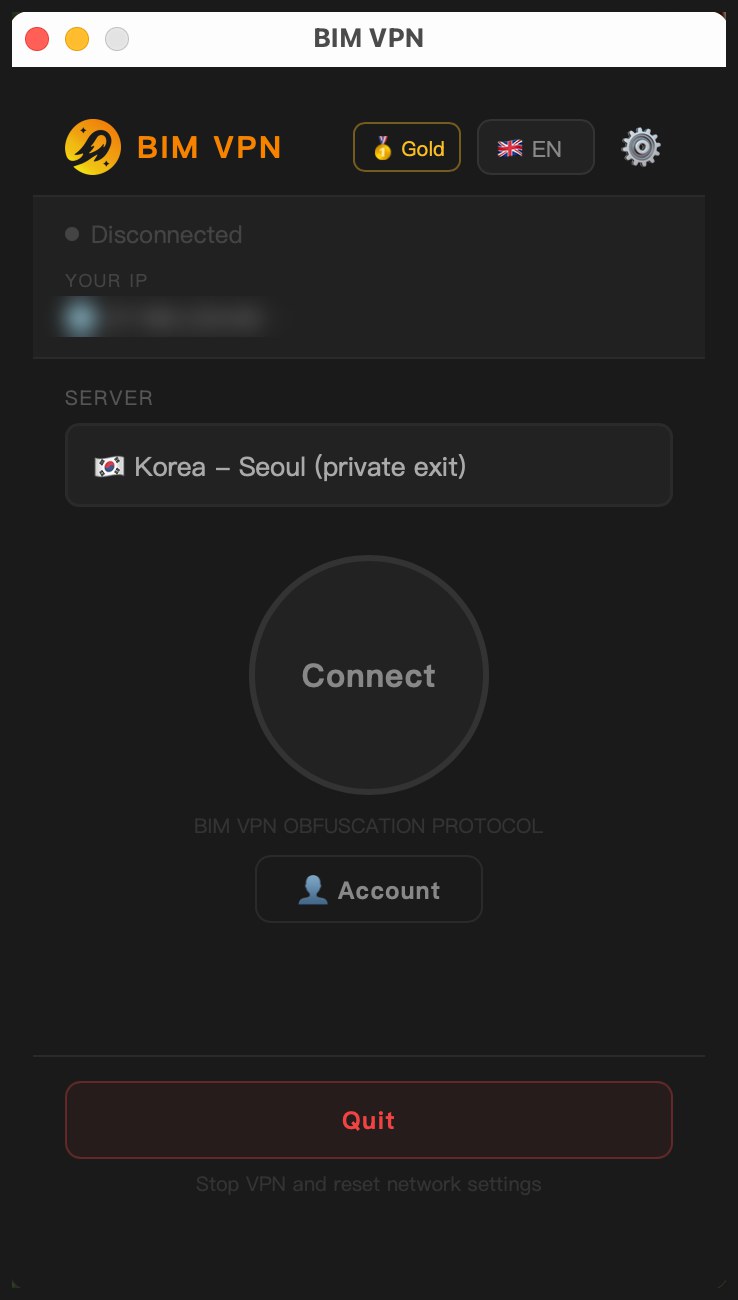
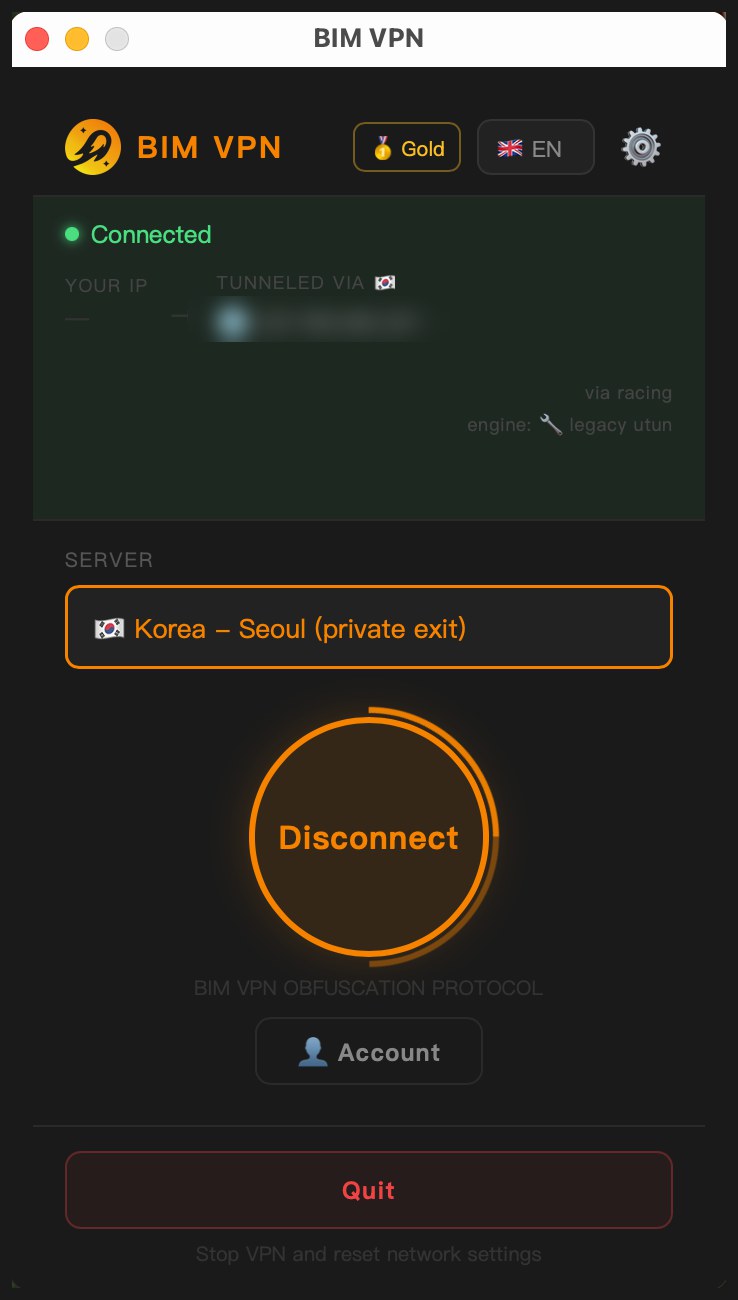
Select the exit, then click Connect.
-
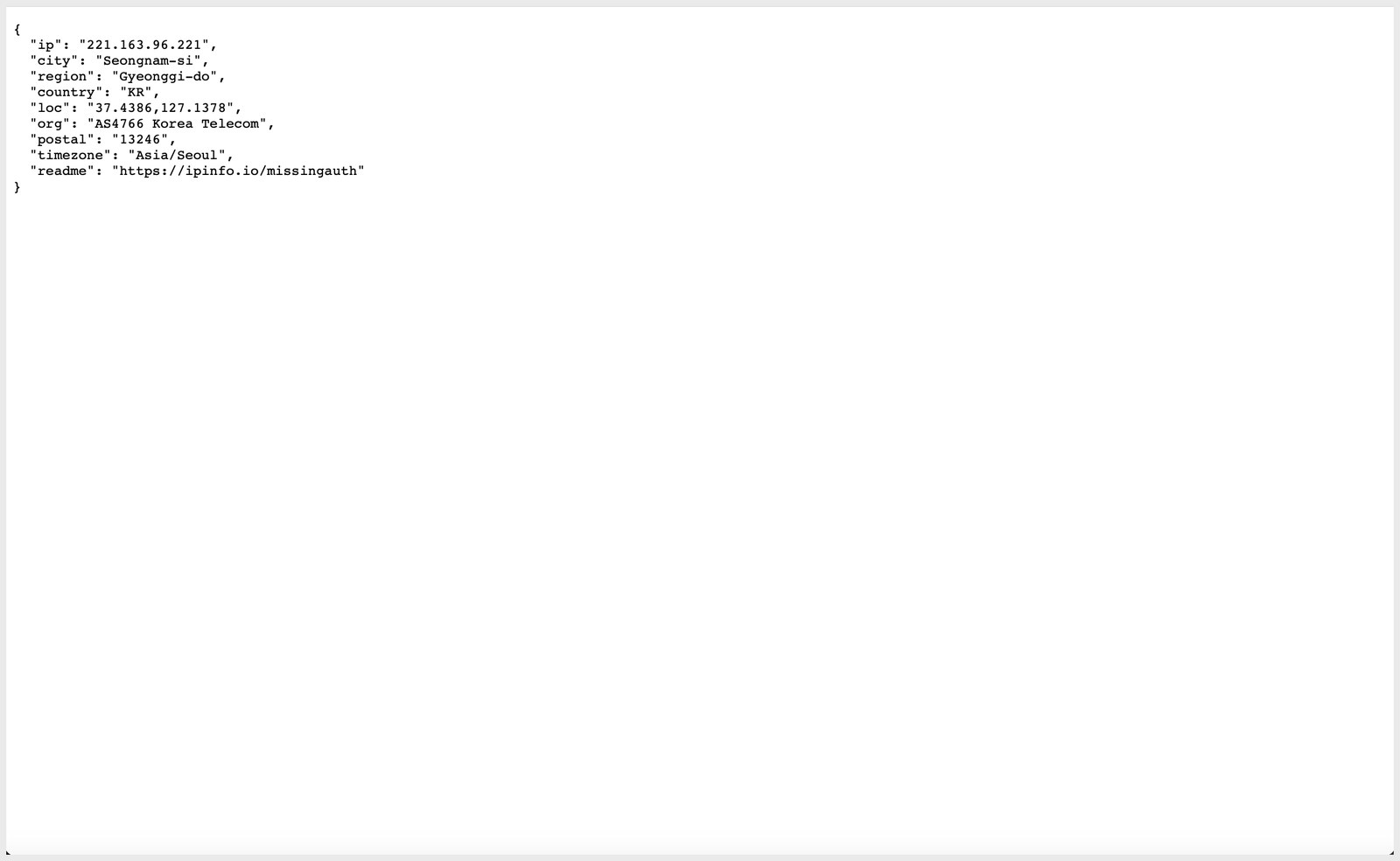
Check the address websites see, for example on ipinfo.io. Through Seoul it is a Korea Telecom address in Korea; through Hong Kong, an HKBN address in Hong Kong.
Next steps
- Operators: Add your machine as an exit node
- Customers: Connect through an exit node